
Practical tutorial

Learn how to use voice ai online step by step

This guide shows how to use voice ai online for spoken drafts, narration, practice, and everyday audio tasks. You will move from a clean input to a reviewed result without guessing which setting to change first.

Review the output before sharing
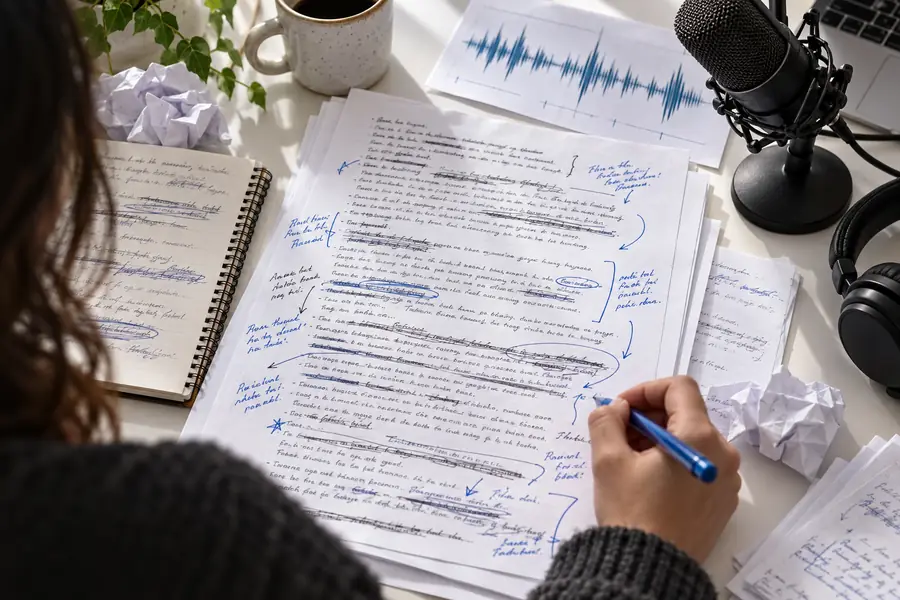
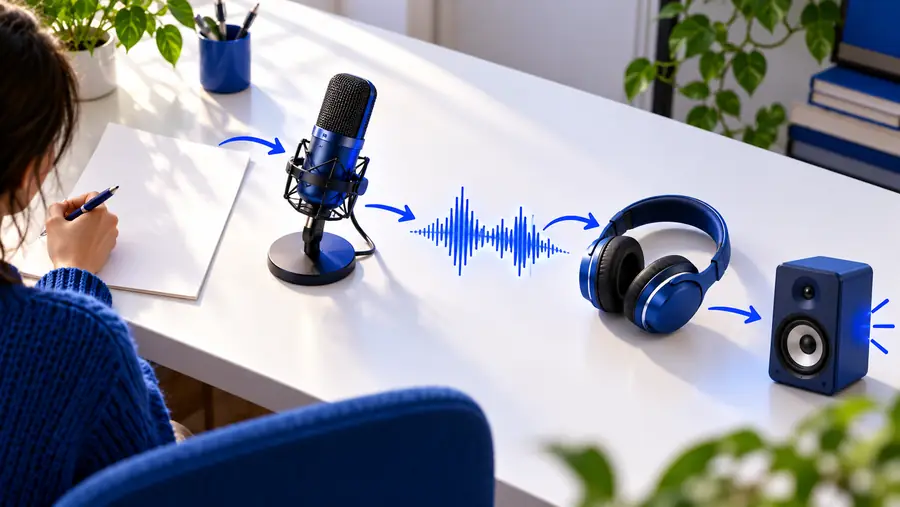
Voice Ai workspace for preparing and reviewing spoken content

Related guides

A good voice ai session starts with a clear purpose, usable source text, and a plan for reviewing the result.

Numbered steps

The same basic method works across many voice ai tasks: define the listener, prepare the words, then inspect the result before using it.

Video creator

You have a short script for an explainer, tutorial, or social clip and need a spoken draft before editing the visuals.

Break the script into natural sections, listen for pacing, and revise sentences that sound crowded or unclear.

voice ai not working
Course builder

You are preparing lesson narration and want a consistent process for checking pronunciation, pauses, and transitions.

Use short paragraphs, mark important terms in the script, and review each lesson in context rather than approving one long export.

voice ai not working

Product team

You need spoken interface copy, onboarding prompts, or a prototype voice interaction for an internal review.

Start with representative phrases, compare the result with the intended user experience, and keep prototype audio separate from final production assets.

voice ai not working

Language learner

You want to hear practice sentences and identify wording that is difficult to follow at a normal listening speed.

Write short examples, replay troublesome sections, and adjust the text before changing the voice or other controls.

voice ai not working

Numbered steps

Follow these three stages in order. Changing several variables at once makes it harder to tell whether the words, instructions, or voice choice caused the result.

  1. 1

    Prepare a focused input

    Decide what the audio must accomplish and who will hear it. Remove repeated ideas, spell out unusual abbreviations, and split long paragraphs into smaller spoken units. Write for listening rather than for silent reading: shorter sentences and clear transitions usually produce a more usable first pass.

  2. 2

    Set the voice task

    Choose the voice ai option that matches the job, then give it precise instructions about tone, pace, emphasis, or pronunciation when those controls are available. Keep the brief specific. “Warm and steady for a welcome message” is more useful than “make it sound good.”

  3. 3

    Listen, compare, and revise

    Play the complete result once for overall flow, then replay the sections that need attention. Mark problems in the text, change one factor at a time, and generate another pass only after you know what you are testing.

Common errors and fixes

When a voice ai result feels wrong, diagnose the input before assuming the tool is unreliable. These comparisons help isolate the cause.

1

Source text

Careful setup

Short paragraphs with one idea per section

Rushed setup

One dense block copied from a document

2

Punctuation

Careful setup

Commas, full stops, and breaks match the intended delivery

Rushed setup

Punctuation is left to chance after copy and paste

3

Pronunciation

Careful setup

Names, acronyms, and specialist terms are checked in context

Rushed setup

Unfamiliar words are assumed to sound correct

4

Instructions

Careful setup

One clear direction for tone, pace, or emphasis

Rushed setup

Several conflicting directions in one prompt

5

Review method

Careful setup

The full clip is heard before detailed edits

Rushed setup

Only a few isolated seconds are checked

6

Revision

Careful setup

One change is tested at a time

Rushed setup

Voice, wording, pace, and structure all change together

Common errors and fixes

A before-and-after review is useful because small text edits can change rhythm, emphasis, and clarity more than a long list of abstract instructions.

  • Before review
  • After revision

Compare the wording before changing every setting.

Unrevised voice ai draft with dense source text
Reviewed voice ai draft with clearer spoken structure

Advanced tips

Voice ai can speed up experimentation, but it does not remove the need for editorial judgment. Keep these limits in mind as your workflow becomes more detailed.

  • It cannot infer your audience perfectly

    A prompt may describe a tone, but only you can judge whether the result fits your viewers, customers, or learners.

    WorkaroundName the audience and intended use in the brief, then review the complete clip as that listener.

  • It cannot repair unclear writing

    A polished voice ai output can still sound confusing when the source text contains vague references, long sentences, or missing context.

    WorkaroundRewrite the source for listening before experimenting with delivery instructions.

  • It cannot guarantee every pronunciation

    Names, places, acronyms, and technical vocabulary may require extra checking, especially when they are uncommon or written in unusual ways.

    WorkaroundTest difficult words in a short sample and adjust the spelling or phrasing when appropriate.

  • It cannot replace final human approval

    Generated audio should be checked for meaning, tone, timing, and suitability before it is published or sent to an audience.

    WorkaroundKeep a listen-and-approve step in your production checklist.

Advanced tips

These measurable checkpoints make a voice ai workflow easier to repeat and easier to debug.

1 Define the listener and the job before writing the prompt.
01 purpose
2 Use a first pass for structure and a second pass for focused refinement.
02 passes
3 Review meaning, pronunciation, pacing, and tone before sharing.
03 checks
4 Change one major input at a time so the result remains understandable.
04 variables

Advanced tips

Turn a voice ai draft into a repeatable workflow

Start with a focused brief, keep the source text easy to edit, and treat every generated clip as a draft until you have listened all the way through. A consistent process helps you get more value from voice ai without hiding problems behind a polished delivery.

Try the voice workspace
  • Write for listening, not silent reading
  • Test difficult words in a short sample
  • Revise the text before changing every control

Tutorial FAQ

These answers address the practical questions people ask when learning how to use voice ai online for the first time.

Start with one clear task, prepare a short piece of text, and describe the intended tone or audience. Generate a first pass, listen to the complete result, then revise the wording or instructions based on what you hear.

Include the purpose, audience, delivery style, and any important pronunciation or pacing notes. Keep the request focused so you can tell which instruction affected the result.

The source may be written for reading rather than listening, or the sentences may be too long and punctuation may not reflect the intended pauses. Shorten the text, add clear breaks, and test one revision before changing several settings.

Test the difficult word in a small sample before generating a longer clip. If needed, adjust the spelling or add surrounding context so the intended pronunciation is easier to interpret.

Yes. Listen for meaning, tone, pacing, pronunciation, and unwanted emphasis, and check the full clip rather than only a convenient excerpt. Human approval remains important when the audio represents you or your organization.

Start creating
Start creating