

A clear guide to voice ai vs voice changer tools

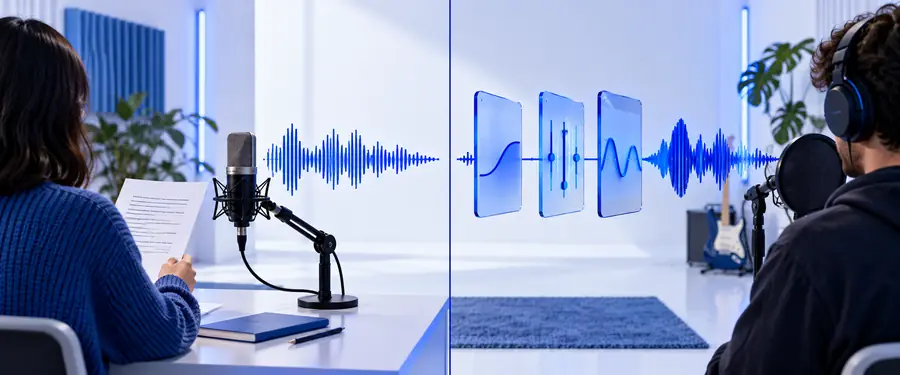
Voice ai vs voice changer decisions become easier when you start with the job, not the label. One approach usually creates or transforms a prepared recording; the other typically modifies a live or recorded voice in real time.

Abstract Voice Ai waveform visual

The short answer

Choose Voice Ai when you need a voice created from text or shaped into a polished recording. Choose a voice changer when the priority is altering an existing voice during a live interaction or performance.

Compare the inputs

Compare the jobs, not the labels

The distinction is clearest when you follow the signal from input to output. These three dimensions separate creation from transformation without assuming that one tool is always better.

  1. 1

    Start with the source

    Voice AI can begin with written words, while a voice changer begins with a human voice signal. If there is no script, a text-led workflow may add an extra preparation step.

  2. 2

    Check when the change happens

    Generated speech is normally prepared before it is used. A voice changer is more useful when the sound needs to shift while someone is speaking, streaming, gaming, or recording.

  3. 3

    Judge the required control

    For narration, consistency and repeatability matter. For live use, responsiveness and a change that remains understandable matter more than a fully rebuilt performance.

At a glance

Who each approach suits

Use these comparison markers as a quick filter. They describe the structure of the decision rather than promising a particular result from every tool.

1 Create speech from text or transform an existing voice
2 core jobs
2 A script favors Voice Ai; a live voice favors a changer
1 key input
3 Ask about source, timing, and control before choosing
3 questions

See the workflow shift

A practical migration path

Moving from a voice changer to Voice Ai is not simply a matter of selecting a new effect. It changes the starting point from a performance that already exists to words, direction, and a recording plan.

  • Live transformation
  • Prepared generation

Move the script first, then refine delivery.

Comparison view showing a live voice transformation workflow
Comparison view showing a prepared Voice Ai narration workflow

Choose by use case

Use cases that make the choice clear

The best option depends on where the audio will be heard and how much control you have before it goes live. These examples show the practical dividing line.

Video narrator

You have a finished script and need clean, repeatable spoken sections for explainers, tutorials, or product videos.

A Voice Ai workflow is usually the better starting point because the words are already the main input and revisions can happen before publication.

voice ai vs generator

Live streamer

You are speaking in real time and want your voice to sound different during a stream, game session, or group call.

A voice changer is the more natural fit because the transformation needs to follow a live voice rather than wait for a prepared script.

voice ai vs generator

Audio creator

You are testing character lines, alternate reads, or a narration concept and want to compare versions before finishing the edit.

Voice Ai can be useful when speed of iteration and consistent delivery matter more than changing a live microphone signal.

voice ai alternative online

Make the choice

Start with the sound you already have

If your raw material is a script, begin with Voice Ai and evaluate the result as a finished recording. If your raw material is a live microphone signal, begin with a voice changer and test clarity under the conditions where people will actually hear you. When both workflows seem possible, choose the one that removes the most editing from your next project.

Try the right workflow
  • Use text when the script is the source.
  • Use live transformation when the microphone is the source.
  • Keep clarity ahead of novelty.

Common questions

Comparison FAQ

The difference is mainly about what goes in, when the sound changes, and how much preparation the workflow expects.

No. Voice Ai commonly refers to creating or shaping speech with an AI system, often from written input, while a voice changer modifies an existing voice signal. Some products may overlap, but the starting input and intended workflow are different.

A voice changer is generally the more direct fit for live use because it is designed around an incoming voice signal. Voice Ai can still support live experiences in some products, but you should confirm that the specific tool supports the timing and setup you need.

Use Voice Ai when you have a script and want a prepared narration that can be reviewed before publishing. A voice changer is more suitable when you are recording your own performance and want to alter that performance rather than create speech from text.

Usually not. A voice changer needs an existing voice to transform, while text-to-speech starts with written words and produces spoken audio. If your project begins as a script, a text-led Voice Ai workflow is usually the closer match.

Ask what you have first: written text or a live voice. Choose Voice Ai for script-led creation and repeatable narration; choose a voice changer for real-time transformation of your own microphone signal.

Start creating
Start creating